Shack
| Shack | |
|---|---|
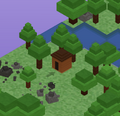
| |
| Category | Real estate |
| Effect | |
| Cost / Recipe | Self-built |
| How to get | Placed in Whisperwood from a Shack Kit |
Shacks are personal player-built wooden structures placed in Whisperwood. Each character can have one Shack per server at a time, and it functions as the player's home in the forest region.
Building a Shack
To place a Shack you need:
- A Shack Kit — shown in your bag as "Shack (Portable)". Click the kit in your bag, then click a tile; no hammer is needed. A kit is returned whenever a shack is packed up, and kits can be traded or bought from other players on the Marketplace.
- A valid open tile in Whisperwood — shacks must keep a one-tile gap from other shacks and cannot be placed right up against the Whisperwood Pet Shop
Placing a new shack requires a Shack Kit in your bag.
A shack exists only on the server it was built on, so you will find it again by returning to that server. It gives you a recognisable home base in the peaceful Whisperwood forest.
Moving a Shack
Use the /pickup chat command (in Whisperwood) to pack your Shack up. It goes back into your bag as a Shack Kit, and any furniture inside is returned to your Furni bag — then place the kit on a new tile. Nothing is lost in the move.
Limits
- One Shack per character on each server.
- Must be placed in Whisperwood.
- Shacks have lockable doors: the owner can lock the shack behind a door password or leave it unlocked. Other players can enter an unlocked shack, and trading works inside one.
- The owner can furnish a shack (up to 80 pieces) and use the
/pickalland/kickallroom commands inside it. - Owning a shack counts as owning a property for the 25% Room Life bonus on rented Navigator rooms.